Passkeys and Phishing-Resistant MFA: A Smarter Way to Protect Your Business
Passwords have been a weak spot in business security for years. Even when companies add traditional multi-factor authentication, attackers still find ways in. They use phishing emails, fake login pages, push fatigue, stolen codes, and social engineering. That is why passkeys and phishing-resistant MFA matter so much. They give businesses a safer way to verify users and often make sign-in easier at the same time.
What is phishing-resistant MFA?
Phishing-resistant MFA helps stop users from giving attackers what they need to log in. Basic MFA adds protection, but it still has gaps. A user can enter a password into a fake website. They might also type in a one-time code or approve a push request by mistake.
Phishing-resistant MFA works differently. It ties the login to the real website or app. That makes it much harder for an attacker to trick a user with a fake sign-in page.
What are passkeys?
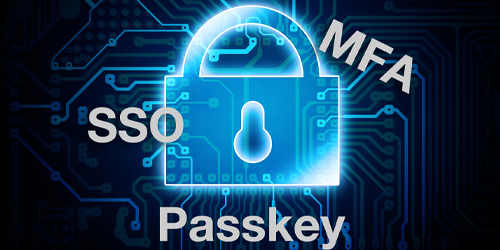
A passkey is a modern sign-in method that replaces a password. Instead of typing a password, the user signs in with a fingerprint, face scan, or device PIN.
In simple terms, the user unlocks a trusted device, and the device handles the sign-in. The user does not need to remember, type, or reset a password as often. That makes the process easier for employees and safer for the business.
Why this matters for small and midsize businesses
Most SMBs do not suffer breaches because of highly advanced attacks. More often, someone clicks the wrong link, reuses a password, or approves a bad login request.
That is why identity security matters so much. Attackers often go after accounts first. If they get in, they may reach email, cloud apps, files, or business systems.
Passkeys and phishing-resistant MFA help reduce that risk. They make stolen passwords less useful. They also make fake login pages far less effective.
This is about security, not just convenience
Many people first hear about passkeys as a faster way to sign in. That is true, but the bigger value is security.
Traditional passwords are easy to steal, guess, reuse, or share by mistake. Passkeys work in a different way. They help protect the login process from phishing and credential theft.
That is a big change. Instead of asking users to spot every fake email or fake login page, businesses can use sign-in methods that are harder to fool in the first place.
Does this replace all MFA?
Not all at once. Many businesses still use authenticator apps, push prompts, or hardware keys. Those tools can still play an important role.
Still, the direction is clear. Businesses should move toward phishing-resistant authentication where they can. For some companies, that starts with admin accounts, Microsoft 365, VPN access, password managers, and other critical systems.
Where businesses should start
Most SMBs should take a practical approach. Start by looking at how users sign in today and which systems matter most.
Then ask a few key questions:
- Does your environment support passkeys or FIDO2 security keys?
- Are your devices ready?
- Do your most important apps support stronger sign-in methods?
- Are high-risk accounts protected first?
A smart rollout often starts with privileged users and important cloud services. From there, businesses can expand to more users and more systems over time.
The business case
This is not only a security project. It is also a business resilience project.
Stronger sign-ins can help reduce account takeovers, email compromise, ransomware entry points, and after-hours security incidents. They can also cut down on password reset issues and make daily access easier for staff.
That means better protection and less friction.
Final thoughts
Passwords are not disappearing overnight, but the industry is moving in a better direction. Passkeys and phishing-resistant MFA give businesses a smarter way to protect accounts because they address one of the most common ways attackers get in: stolen or tricked credentials.
For small and midsize businesses, this is a chance to improve security without making life harder for users. In many cases, it makes sign-in easier.
If your business still relies on passwords, text-message codes, or basic push approvals alone, now is a good time to review your MFA strategy.
Need help reviewing your current MFA setup or planning a move toward phishing-resistant authentication? Skyline IT Services can help you reduce identity risk and build a smarter security roadmap.